A clean MPO MTP fiber connector is not something you can ignore if you want a stable network. These connectors carry multiple fibers in one interface, so even a small amount of dust can affect performance. Many people handle fiber cables carefully but forget that the connector end face needs proper cleaning every time. That small mistake can lead to signal loss, slow data transfer, or connection failure.
In real setups like data centers and telecom systems, clean connectors help maintain strong and reliable links. A simple cleaning routine can prevent costly downtime and reduce troubleshooting time. You do not need complex tools or advanced skills to do it right. You just need the correct method and a clear process.
In this blog post, you will learn how to clean MPO MTP fiber connectors step by step using safe and proven techniques.
What Are MPO/MTP Fiber Connectors?
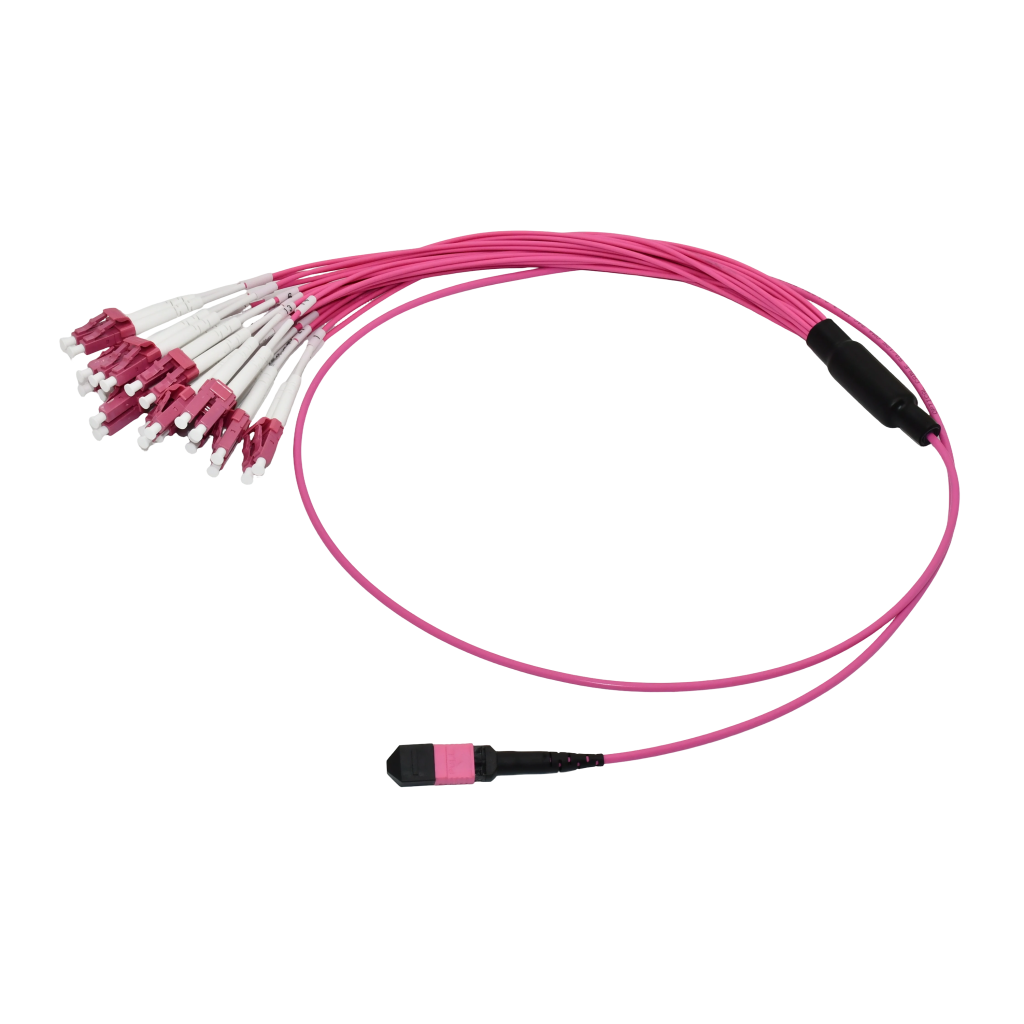
MPO and MTP fiber connectors are special connectors that hold multiple fiber strands in one single plug. Instead of one fiber like a regular connector, these can carry 8, 12, 24, or even more fibers at the same time. This makes them very useful for high-speed networks where a lot of data needs to move quickly.
The term MPO (Multi-Fiber Push-On) is the general type of connector. MTP is an improved version made by the brand US Conec. Both look similar and work in the same way, but MTP connectors usually offer better performance and durability.
These connectors are widely used in data centers, telecom networks, and large enterprise setups. They help save space and make installations faster because one connector handles many fibers at once.
There are also two main types:
- Male connectors → have guide pins
- Female connectors → do not have pins
Why Cleaning MPO/MTP Connectors Is Important?
Clean MPO MTP fiber connector practices play a huge role in keeping your network stable and fast. These connectors carry multiple fibers in one interface, so even a tiny amount of dust can affect several channels at once. That means one dirty connector can impact the entire connection, not just a single fiber.
When connectors are not clean, signals do not pass through properly. You may notice higher data loss, weak signals, or unstable connections. In high-speed environments like data centers, this can slow down systems and create unexpected downtime. Small contamination can quickly turn into a big performance issue.
Dirt, oil, or debris can also scratch the connector surface when plugged in. Once that happens, cleaning may not fix the problem, and you may need to replace the connector. That adds extra cost and time.
Keeping connectors clean helps maintain strong signal quality, reduces errors, and prevents damage. A simple cleaning step before every connection can save you from bigger issues later.
Dry vs Wet Cleaning. Which Method Is Better For Cleaning MPO/MTP Connectors?
When you clean MPO MTP fiber connector surfaces, you will mainly use two methods: dry cleaning and wet cleaning. Each method has its place, and using them in the right order makes a big difference.
Dry Cleaning Should Be The First Step
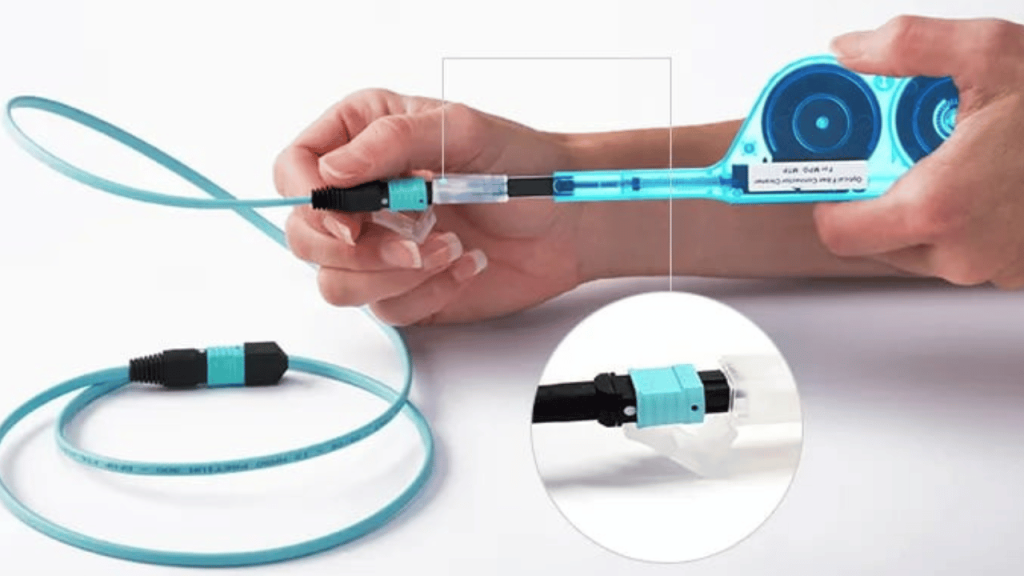
Dry cleaning is the most common and easiest method. It uses tools like one-click cleaners or dry lint-free wipes to remove dust and loose particles.
Why it works well:
- Quick and simple
- No liquid involved
- Safe for regular use
Dry cleaning works best for light contamination. In most cases, this step alone can clean MPO MTP fiber connectors properly.
Wet Cleaning For Stubborn Dirt
Wet cleaning uses a small amount of isopropyl alcohol (IPA) along with lint-free wipes. This method helps remove oil, residue, or stuck debris that dry cleaning cannot handle.
Why it is useful:
- Removes grease and fingerprints
- Cleans deeper contamination
- Restores connector surface
You should always follow wet cleaning with a dry wipe. This prevents liquid residue from staying on the connector.
Key Differences
| Method | Best For | Pros | Cons |
| Dry Cleaning | Dust, light debris | Fast, easy, safe | Not effective for oil |
| Wet Cleaning | Oil, heavy residue | Deep cleaning power | Needs careful handling |
Which Method Should You Use?
Start with dry cleaning every time. If the connector is still dirty, move to the wet-to-dry method. This approach gives the best results and protects the fiber surface. In simple terms, dry cleaning handles everyday dust, while wet cleaning solves tougher problems. Using both the right way ensures your connectors stay clean and your network performs without issues.
Common Mistakes to Avoid When Cleaning MPO/MTP Connectors
When you clean MPO MTP fiber connector surfaces, small mistakes can cause big problems. These connectors are very sensitive, and the wrong method can reduce performance or even damage them.
Here are the most common mistakes you should avoid:
- Many people clean without checking the connector first. This leads to unnecessary cleaning or missed contamination. Always inspect the connector so you know what you are dealing with.
- Never touch the fiber end face with your fingers. Oil and dirt from your skin can block signals and make the connector dirty again instantly.
- Do not use normal cloth, paper towels, or tissues. These leave lint behind and can scratch the surface. Always use lint-free wipes made for fiber cleaning.
- A small amount of isopropyl alcohol is enough. Too much liquid can leave residue or spread contamination instead of removing it.
- If you use wet cleaning, always follow with a dry wipe. Leaving moisture on the connector can affect signal quality.
- People often clean the connector but ignore the bulkhead or port. Dirt inside the port can transfer back to the connector and undo your work.
- Using the same wipe or cleaner multiple times spreads contamination. Always use a clean section or a new tool for each cleaning.
- Never assume a connector is clean, even if it is new. Dust can settle quickly, so clean before every connection.
How Often Should You Clean MPO/MTP Connectors?
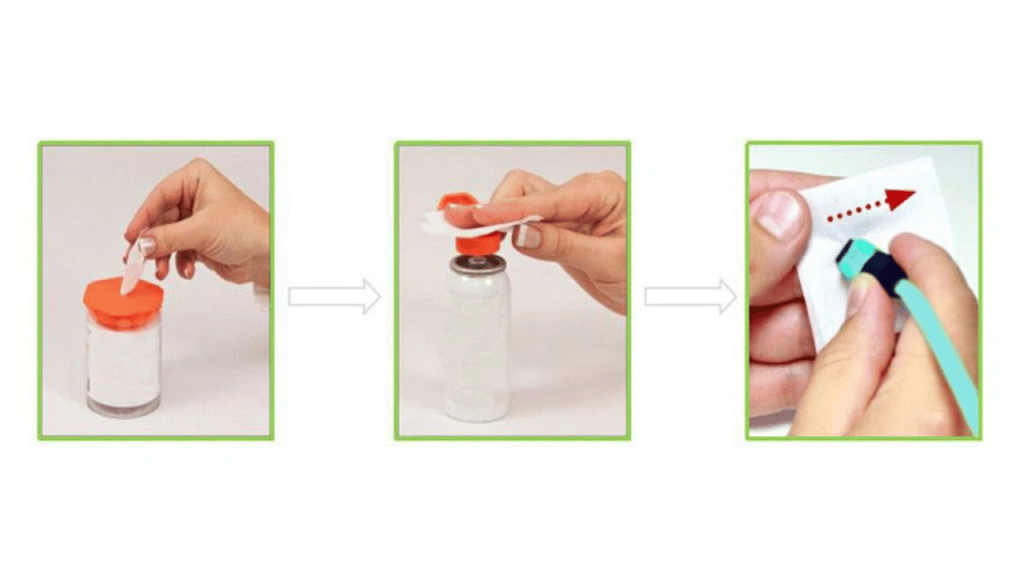
Clean MPO MTP fiber connector surfaces regularly to keep your network stable and avoid signal issues. There is no fixed schedule like daily or weekly. The right approach depends on how often you use the connectors and the environment around them.
Clean Before Every Connection
This is the most important rule. Always clean MPO MTP fiber connectors before plugging them in. Even a clean-looking connector can have dust that affects performance.
Clean After Disconnecting
When you unplug a connector, it gets exposed to air and dust. Clean it again before the next use to avoid contamination buildup.
Clean in Dusty or High-Traffic Environments
If you work in data centers, construction areas, or places with a lot of movement, clean more frequently. Dust and airborne particles settle quickly on connectors.
Clean When You Notice Performance Issues
If you see signal loss, errors, or unstable connections, cleaning should be your first step. Many network problems start with dirty connectors.
Clean During Routine Maintenance
Include connector cleaning as part of your regular network checks. This helps prevent issues before they become serious.
Final Thoughts
Clean MPO MTP fiber connector practices are simple, but they make a big difference in network performance. A small step like cleaning before every connection can prevent signal loss, reduce errors, and save time during troubleshooting. When you follow the right method and use proper tools, you protect both your connectors and your overall system. At AOF Plus, we focus on providing reliable fiber optic solutions that support high-performance networks. We offer quality products, including MPO/MTP cleaning tools, connectors, and accessories that meet industry standards. Our goal is to make fiber maintenance easy and effective for both beginners and professionals.
We guide our customers with the right tools and clear instructions so they can handle cleaning and maintenance with confidence. Whether you are managing a data center or working on a small setup, having the right equipment matters. If you need a dependable cleaner or fiber optic products, visit AOF Plus and explore our solutions designed to keep your network running smoothly.